Using Field-Ready Handheld Computers in the Field
In demanding industrial and field environments, equipment reliability is non-negotiable. Devices must endure harsh conditions while maintaining peak performance. Field-ready handheld computers are engineered precisely for this purpose. They combine durability with functionality, enabling seamless data collection and communication on the go. This post explores how these devices transform field operations, offering practical insights and recommendations for businesses that rely on tough, dependable technology.
Why Choose Field-Ready Handheld Computers?
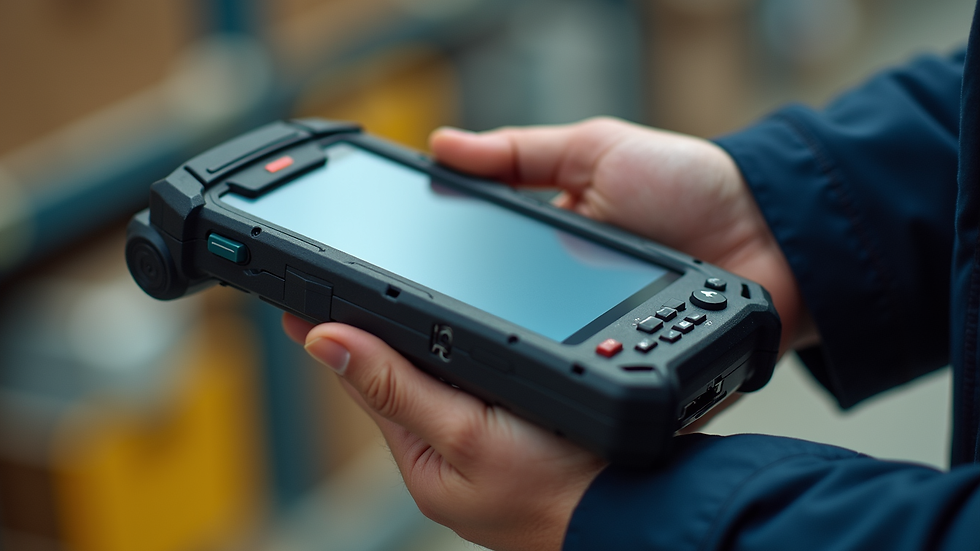
Field-ready handheld computers are built to withstand extreme conditions. Whether exposed to dust, water, drops, or temperature fluctuations, these devices continue to operate without fail. This resilience reduces downtime and repair costs, directly impacting operational efficiency.
Key features include:
Rugged construction: Reinforced frames, shock-absorbing materials, and sealed ports.
Long battery life: Designed for extended shifts without frequent recharging.
Sunlight-readable displays: Clear visibility in bright outdoor environments.
Integrated scanning and communication tools: Barcode readers, RFID, GPS, and wireless connectivity.
These features make field-ready handheld computers indispensable for industries like logistics, utilities, construction, and manufacturing. They enable workers to collect and transmit data accurately and quickly, even in the most challenging settings.

Practical Applications in Harsh Environments
Field-ready handheld computers excel in various scenarios where traditional devices fail. Here are some specific examples:
Inventory Management in Warehouses
Workers scan barcodes and update stock levels in real time. The devices’ durability ensures they survive accidental drops and exposure to dust.
Utility Maintenance and Inspections
Technicians use handheld computers to access schematics, log readings, and report issues while working outdoors in rain or extreme heat.
Field Service and Repairs
Service personnel receive job details, capture signatures, and update work orders on the spot, improving response times and customer satisfaction.
Construction Site Data Collection
Supervisors track materials, monitor progress, and communicate with teams without worrying about device damage from rough handling or weather.
Each use case highlights the importance of reliable hardware that supports critical workflows without interruption.
Selecting the Right Device for Your Needs
Choosing the right field-ready handheld computer requires careful consideration of your specific operational demands. Here are essential factors to evaluate:
Durability Standards
Look for devices meeting MIL-STD-810G or IP ratings that match your environment’s challenges.
Operating System Compatibility
Ensure the device supports your software applications and integrates smoothly with existing systems.
Ergonomics and Weight
Since these devices are used extensively, comfort and ease of handling matter.
Connectivity Options
Consider Wi-Fi, cellular, Bluetooth, and GPS capabilities based on your communication needs.
Battery Life and Charging
Devices should last through full shifts and offer quick charging or hot-swappable batteries.
Peripheral Support
Check for compatibility with scanners, printers, and other accessories essential to your workflow.
By focusing on these criteria, you can select a device that maximizes productivity and minimizes operational disruptions.
Integrating Rugged Handheld Computers into Your Workflow
Implementing these devices effectively requires more than just purchasing hardware. Follow these steps to ensure smooth integration:
Assess Workflow Requirements
Map out tasks that will benefit from mobile data collection and identify pain points.
Train Your Team
Provide hands-on training to familiarize users with device features and software.
Establish Maintenance Protocols
Regularly inspect devices for damage and perform software updates to maintain performance.
Leverage Data Analytics
Use collected data to optimize operations, identify bottlenecks, and improve decision-making.
Plan for Scalability
Choose solutions that can grow with your business and adapt to evolving needs.
These steps help maximize the return on investment and ensure your field operations run smoothly.
The Advantage of Using Rugged Handheld Computers
The term "rugged handheld computers" refers to devices specifically designed to endure tough environments without sacrificing functionality. These devices offer unmatched reliability, reducing the risk of data loss and operational delays. Their robust design minimizes repair costs and extends device lifespan, making them a cost-effective choice for businesses operating in challenging conditions.
By investing in rugged handheld computers, you gain a competitive edge through improved data accuracy, faster communication, and enhanced worker productivity. This technology supports critical industries by ensuring that field teams remain connected and efficient, regardless of environmental obstacles.
Preparing for the Future of Field Operations
As technology advances, field-ready handheld computers continue to evolve. Emerging features include enhanced biometric security, AI-powered data processing, and improved battery technologies. Staying informed about these developments allows businesses to adopt innovations that further streamline operations.
To remain competitive:
Monitor industry trends and device updates.
Engage with technology partners who understand your operational challenges.
Regularly review your hardware strategy to incorporate new capabilities.
Adopting a proactive approach ensures your field teams have the tools they need to meet future demands.
Field-ready handheld computers are essential tools for businesses operating in harsh environments. Their durability, functionality, and adaptability make them invaluable for maintaining efficient, reliable field operations. By selecting the right devices and integrating them thoughtfully, you can enhance productivity, reduce downtime, and support your business growth in critical industries.


Comments